> ## Documentation Index
> Fetch the complete documentation index at: https://docs.echoplayer.cc/llms.txt
> Use this file to discover all available pages before exploring further.
# 欢迎使用 EchoPlayer
> 专为语言学习者设计的视频播放器,通过逐句精听高效学习外语
 ## 什么是 EchoPlayer?
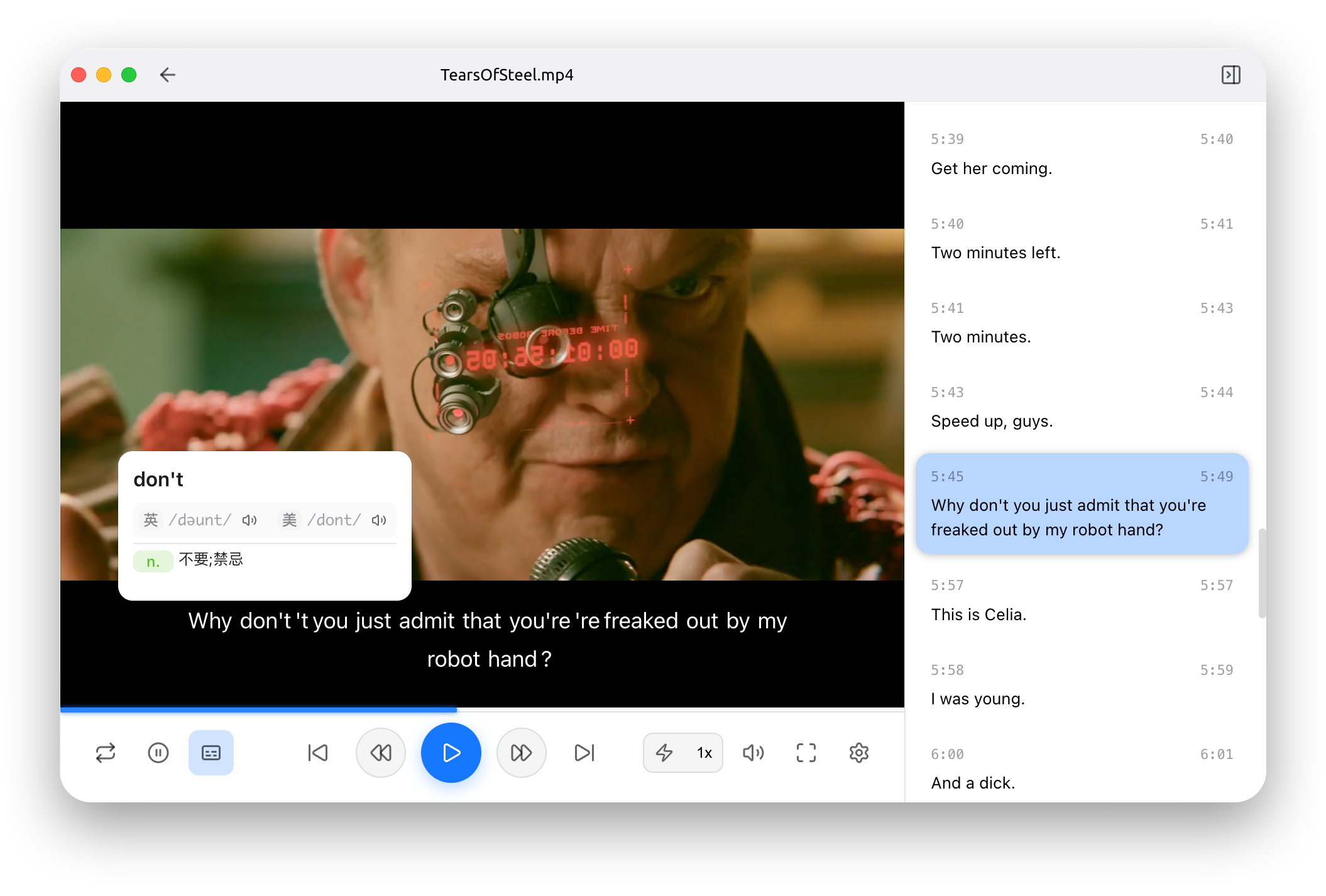
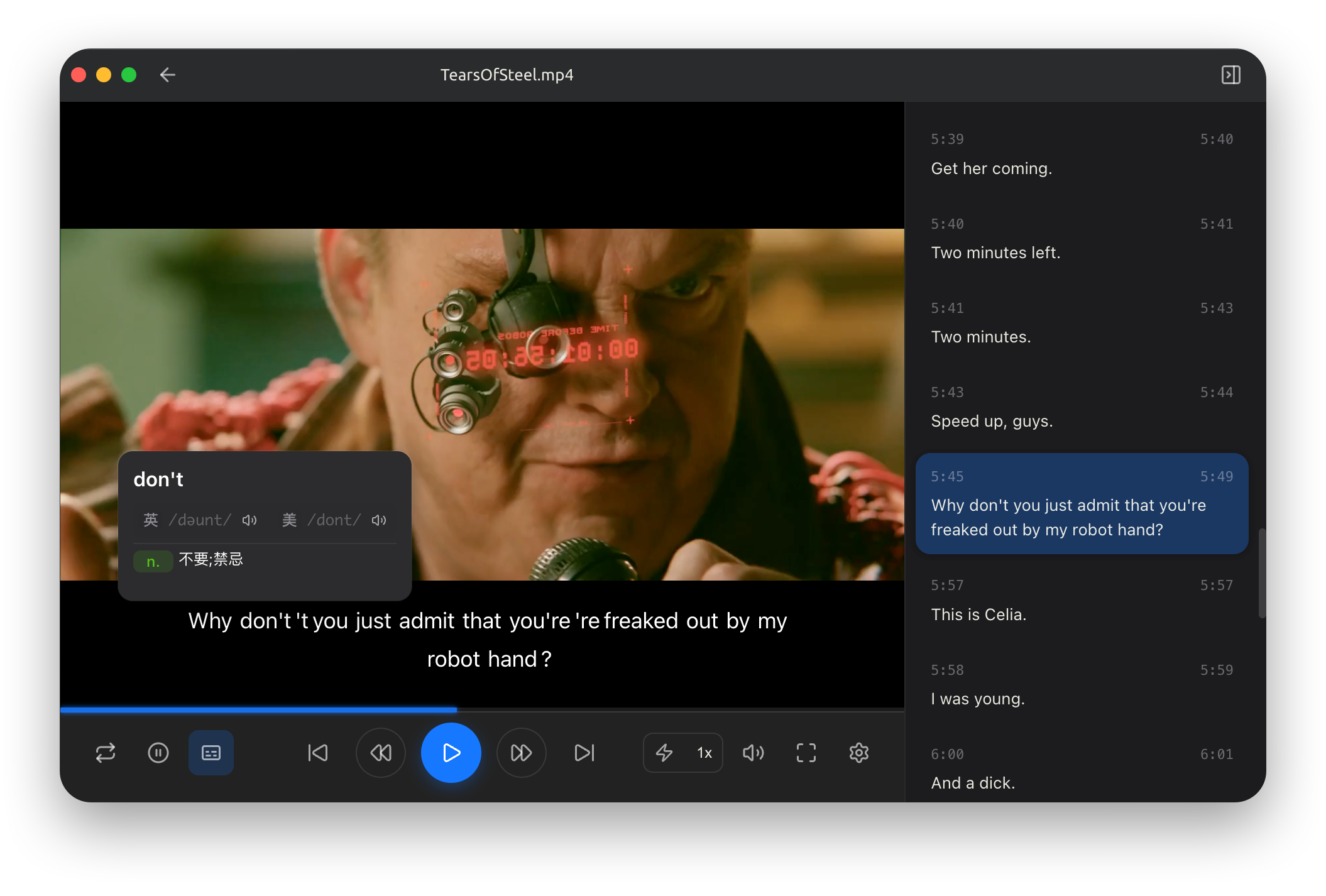
EchoPlayer 是一款专为语言学习者设计的视频播放器,通过**逐句精听**的方式帮助用户高效学习外语。无论是电影、电视剧、纪录片还是教学视频,EchoPlayer 都能让您的视频学习体验更加专业和高效。
本软件目前处于早期开发阶段,功能和界面可能会有所调整。我们正在积极开发和优化中,欢迎您的反馈和建议!
## 核心功能特性
一键跳转到上一句/下一句字幕,精确控制学习进度
每句字幕结束后自动暂停,延迟自定义时间后恢复播放
重复播放当前字幕句子,强化练习和理解
同时显示原文和译文,支持双语学习模式
## 支持的格式
### 视频格式
MP4、AVI、MKV、MOV、WMV、FLV 等主流视频格式
### 字幕格式
SRT、VTT、ASS/SSA、JSON 等常见字幕格式
## 快速开始
按照以下步骤快速开始您的语言学习之旅:
根据您的操作系统下载并安装 EchoPlayer
学习如何添加视频文件和字幕,开始使用播放器
深入了解播放器的各项功能和设置选项
## 技术特性
支持 Windows、macOS 和 Linux 系统
基于 Electron + React + TypeScript 构建
完全开源,社区驱动开发
## 适用人群
* **语言学习者** - 通过观看影视内容学习外语
* **影视爱好者** - 享受更好的观影体验
## 系统要求
Windows 10/11 (64位)
macOS 10.15+ (Intel & Apple Silicon)
Ubuntu 18.04+ 或其他主流发行版
## 获取帮助
查看源代码,参与开发或报告问题
报告 Bug 或建议新功能
获取最新版本的 EchoPlayer
常见问题的解决方案
## 开始使用
准备好开始您的语言学习之旅了吗?
点击这里下载并安装 EchoPlayer,开始您的语言学习体验
## 什么是 EchoPlayer?
EchoPlayer 是一款专为语言学习者设计的视频播放器,通过**逐句精听**的方式帮助用户高效学习外语。无论是电影、电视剧、纪录片还是教学视频,EchoPlayer 都能让您的视频学习体验更加专业和高效。
本软件目前处于早期开发阶段,功能和界面可能会有所调整。我们正在积极开发和优化中,欢迎您的反馈和建议!
## 核心功能特性
一键跳转到上一句/下一句字幕,精确控制学习进度
每句字幕结束后自动暂停,延迟自定义时间后恢复播放
重复播放当前字幕句子,强化练习和理解
同时显示原文和译文,支持双语学习模式
## 支持的格式
### 视频格式
MP4、AVI、MKV、MOV、WMV、FLV 等主流视频格式
### 字幕格式
SRT、VTT、ASS/SSA、JSON 等常见字幕格式
## 快速开始
按照以下步骤快速开始您的语言学习之旅:
根据您的操作系统下载并安装 EchoPlayer
学习如何添加视频文件和字幕,开始使用播放器
深入了解播放器的各项功能和设置选项
## 技术特性
支持 Windows、macOS 和 Linux 系统
基于 Electron + React + TypeScript 构建
完全开源,社区驱动开发
## 适用人群
* **语言学习者** - 通过观看影视内容学习外语
* **影视爱好者** - 享受更好的观影体验
## 系统要求
Windows 10/11 (64位)
macOS 10.15+ (Intel & Apple Silicon)
Ubuntu 18.04+ 或其他主流发行版
## 获取帮助
查看源代码,参与开发或报告问题
报告 Bug 或建议新功能
获取最新版本的 EchoPlayer
常见问题的解决方案
## 开始使用
准备好开始您的语言学习之旅了吗?
点击这里下载并安装 EchoPlayer,开始您的语言学习体验